Windows NTFS partition hard disk drive data files recovery procedure scan physical attached search partition save restore corrupted Files directories repair MBR MFT |
 |
 |
|
 |
| Software We Provide |
| Files Recovery | Password Recovery | Mobile Forensic |
| Software Setup Builder | Data Theft Protection | Database Conversion |
| Financial Accounting | Barcode Maker | PC Monitoring |
| Text Messaging | Web Tools | Data Wiping |
| NTFS data recovery software procedure |
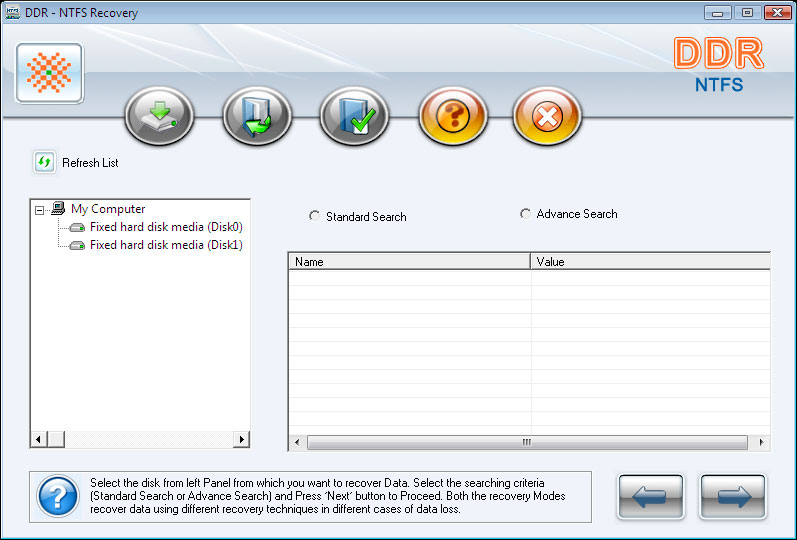
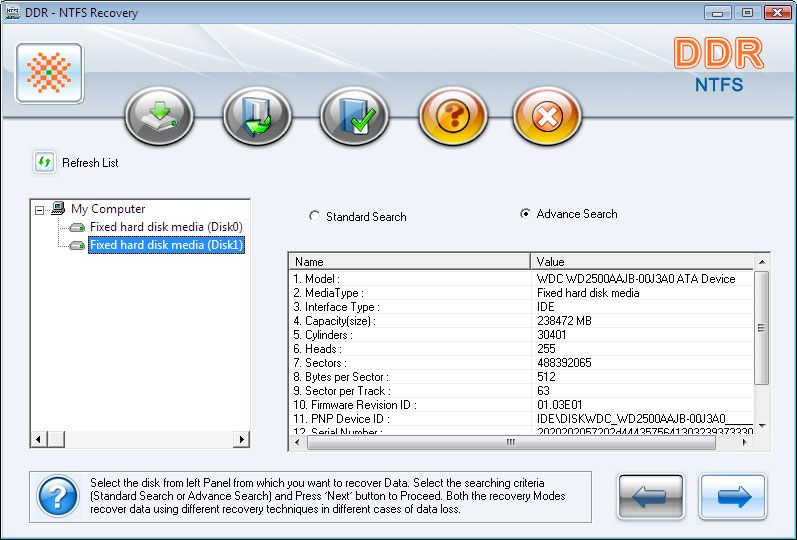
Click the Data Doctor Recovery NTFS desktop icon (or select from the Windows programs list) to activate the product. Software scan all physical attached to your system and the initial screen below is displayed.
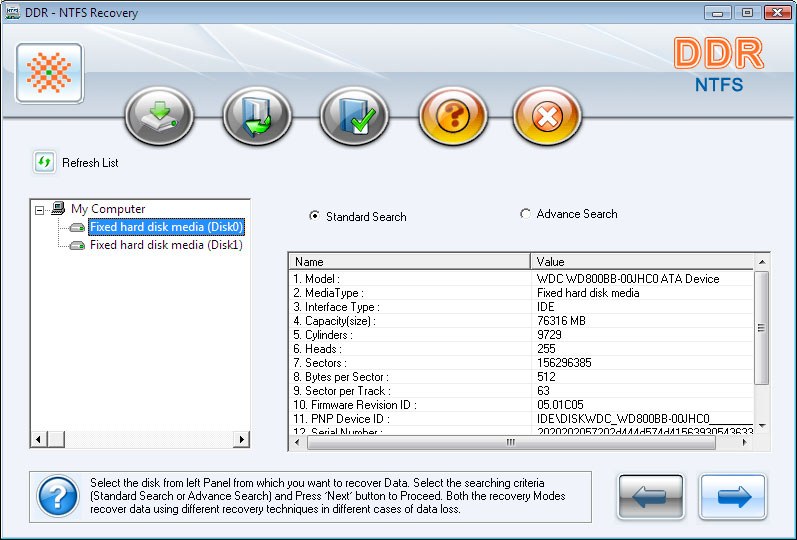
Select the disk from left panel and select the searching criteria and proceed with next button. There two types of search. 1. Standard Search 2. Advanced Search Standard Search Select the disk and Standard Search and Click on next button. The window is displayed as below.
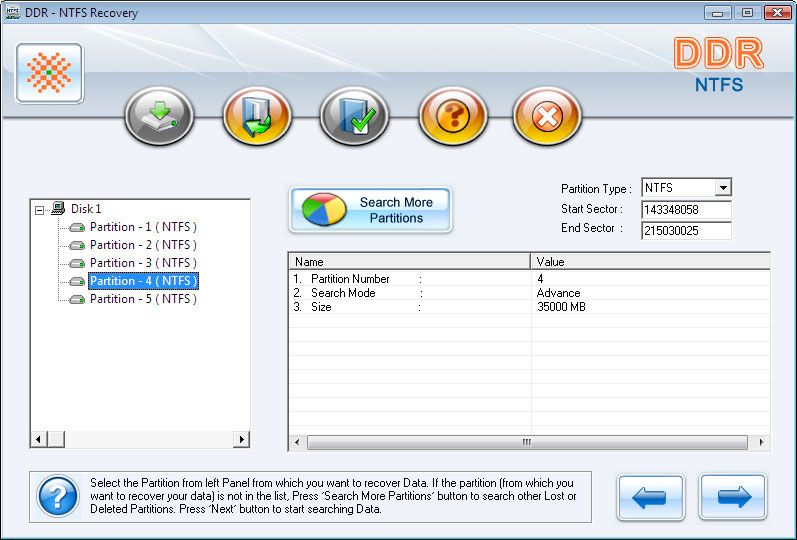
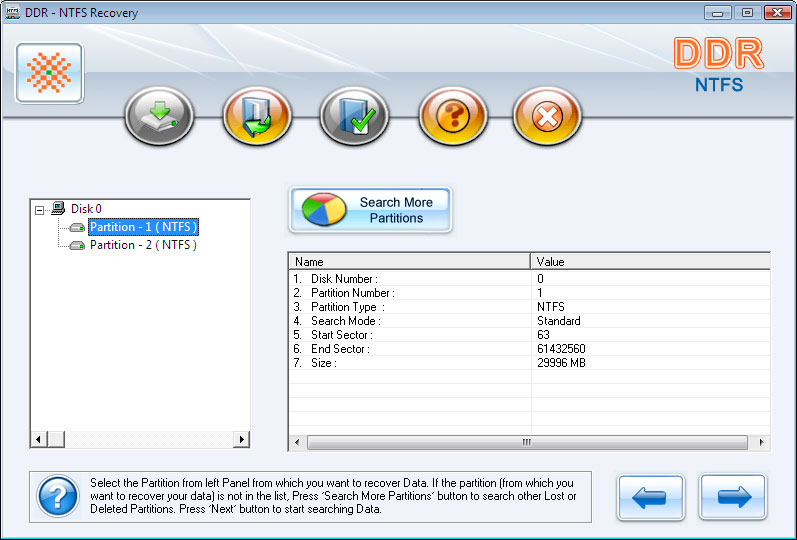
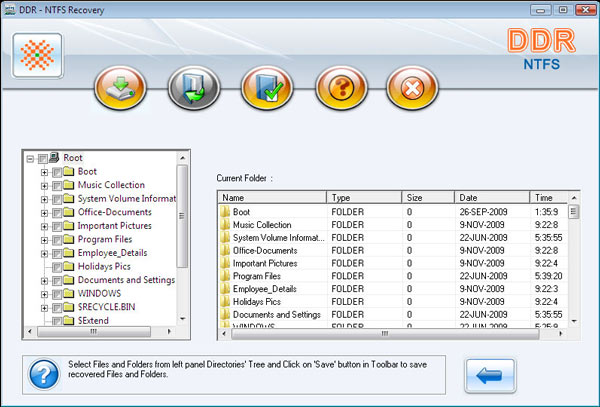
Select the partition to recover from left panel. Then click on next button or use "Search More Partitions" for search missing partition. After click on next, [This Window] is displayed. Any time you want to stop searching Files and Directories then Click on Stop Searching. Or after complete searching, click Next to continue. " Wait for some time " then [This Window] is displayed. If you want to save any Files or Directories then select Files or Directories from panel and click on save button or right click on mouse to save at the desired location as displayed in [This Window]. Advanced Search If Standard search does not show your desired result then you need to use " Advanced Search ". Select the disk and Advanced Search. Click on next button , as displayed in [This Window]. Select the partition to recover from left panel. And select parameters from the right. Then click on next button or use "Search More Partitions" for search missing partition. After click on next, this window displayed.
Any time you want to stop searching and directories then Click on Stop Searching. Or after complete searching, click Next to continue. "Wait for some time" then the window is displayed as below. On click on "Right Arrow" continuously, [This Window] is displayed. If you want to save any Files or Directories then select Files or Directories from panel and click on save button or by right click on mouse and to the desired location, as shown in [This Window]. |



Windows Data Retrieval Software | Digital Camera Data Retrieval Software | Memory Card Data Retrieval Software | iPod Data Retrieval Software | Pen Drive Data Retrieval Software | Removable Media Data Retrieval Software | FAT Data Retrieval Software | NTFS Data Retrieval Software | Digital Pictures Recovery Software | Sim Card Files Recovery Software | Zune Music Recovery Software | Secure Data Wiper | Outlook and Outlook Express Password Recovery Software
| Internet Explorer Password Recovery and Passwords Unmask Tool | Mobile phone Inspector | Keylogger Software | Website monitoring tool | BackLink Checker | Web Chat Software | Bulk SMS - Mobile Text Messaging Software | MySQL to MSSQL database converter | MSSQL to MySQL database converter | MS Access to MySQL database converter
Home | Contact us | Downloads | Services | Site map | Terms and Conditions